
Blippi's Curiosity Club
Moonbug Entertainment LimitedEducational
4.318.00 Reviews
- Version
- 1.8.0
- Installs
- 500.00K
- Age Rating
- Everyone
Screenshots
Our Review of Blippi's Curiosity Club
 Analysis by Appyee
When I judge a children’s game, I look beyond whether its colors and familiar character catch a child’s attention. I want to know whether it suits a short waiting-room break, whether a young player can find their way around without constant help, and whether the experience feels like a good fit for the family’s screen-time habits. Blippi's Curiosity Club is an educational game from Moonbug Entertainment Limited, built around a character many young viewers already know. Its appeal is easy to understand, but the best way to approach it is as a playful option for supervised downtime, not as a replacement for hands-on learning or a guarantee that every child will stay engaged.
What to expect from a quick session
The game is free to download, with in-app purchases listed from $7.99 to $39.99 per item, so I’d check the purchase settings on the device before handing it to a child. That small bit of preparation matters more than it might with a simple one-off game: young children can tap quickly, and a parent should know how purchases are handled on their device. The game is rated for Everyone, which makes it broadly suitable by age classification, but it is still worth choosing activities with your own child’s attention span and interests in mind.
I’d expect the experience to work best in short bursts. Blippi’s familiar, lively presentation can help a child settle into an activity, but an energetic character and colorful screen can also make a session feel busy for children who prefer quieter play. If you are trying it for the first time, sit alongside your child for a few minutes. You’ll see what catches their attention, whether they understand the on-screen choices, and when they are ready to stop rather than letting the game become background noise.
How it fits into a busy day
A realistic use for this kind of game is a short wait while a meal is being prepared or a sibling finishes an activity. I’d set it up before that moment, choose a clear stopping point, and keep the device nearby rather than using the game as an open-ended distraction. That makes it easier to stay involved and to move on when the wait is over. If your child is already overstimulated or needs a calm transition before bedtime, I’d choose a book, drawing, or quiet offline activity instead.
It may also suit a child who likes to talk about what they see. A parent can turn a game session into a small conversation: ask what the child noticed, invite them to name something on screen, or connect a topic to an object around the room. This is a practical way to make screen time more interactive without pretending that an app can replace play together. The child gets a familiar prompt, while you decide how much of the session is solo tapping and how much becomes shared attention.
Where it sits among children’s apps
Compared with a broad collection of preschool games, a character-led experience has an obvious trade-off: familiarity can make it easier for a Blippi fan to get started, while children who do not know or enjoy the character may have little reason to choose it. Compared with watching a video, a game can invite more active participation, but it asks the child to make choices and interact rather than simply watch. If your priority is a quiet, predictable video, a standard video option may be a better fit; if you want a child to tap and explore, this format has the stronger case.
I’d also think about the kind of learning you want. An educational label does not tell you whether an app matches a particular child’s level or whether every activity will hold their interest. Use it as one choice in a wider mix that includes toys, conversation, stories, and time away from a screen. If your child is easily frustrated by touch controls or prefers open-ended building and pretend play, a physical activity will probably serve them better than a guided digital game.
Keeping control of the experience
One useful habit is to explore the app yourself before giving a child independent access. Check how the main screens are arranged, notice where the child is likely to tap next, and decide whether you want to stay within a particular activity. This is not about hovering over every move; it is a quick way to avoid surprises and to make sure the experience fits the occasion. It also gives you a natural chance to explain that the game ends when the agreed break is over.
Because in-app purchases are part of the model, I would not leave purchase decisions to a young child. Set suitable device-level purchase protections and explain in simple terms that paid choices need an adult. That advice is especially relevant if a child plays on a shared family device, where settings may have been chosen for an older user. The free entry point makes it easy to try, but the listed purchase range is a reason to be deliberate rather than assume every part of the experience is included at no cost.
Unleashing Curiosity with Blippi
First things first, if you’ve got kids, you probably already know about Blippi from YouTube. He’s the friendly, energetic guy in the bright blue and orange outfit who manages to make learning about everything from garbage trucks to dinosaurs an absolute blast. Blippi's Curiosity Club takes all that energy and channels it into an interactive app designed for young, curious minds.
Features That Stand Out
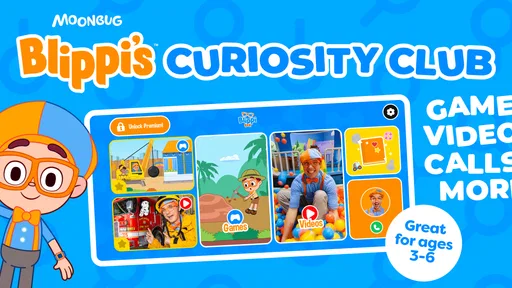
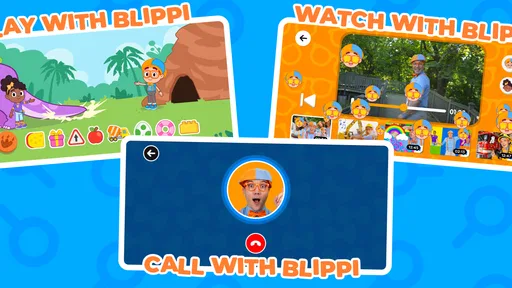
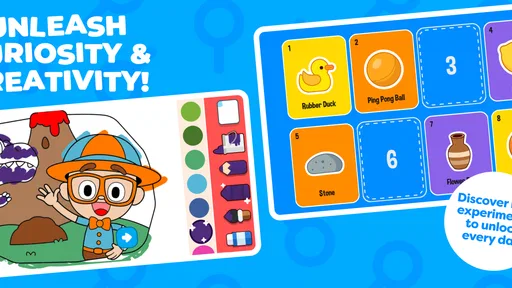
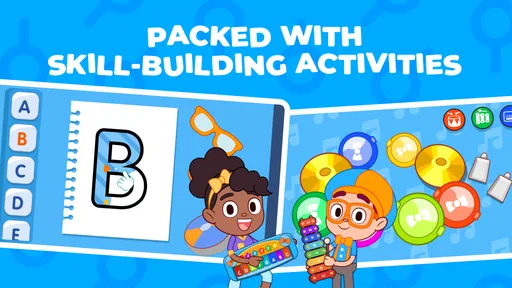
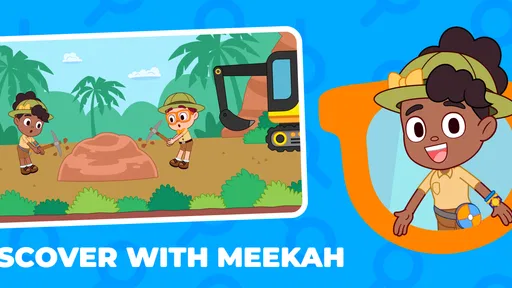
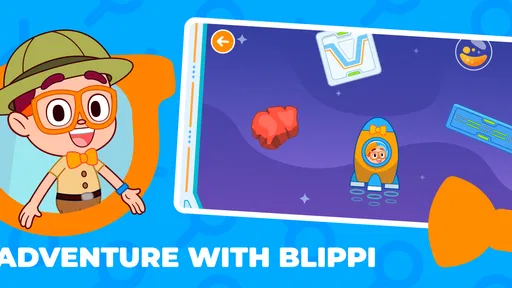
Now, let’s talk features. This app is packed with engaging activities that cover a wide range of topics. Kids can explore different themes such as animals, vehicles, colors, and numbers. The interactive games are designed to keep kids entertained while simultaneously teaching them important concepts. What I really love about it is how each game encourages curiosity and exploration.
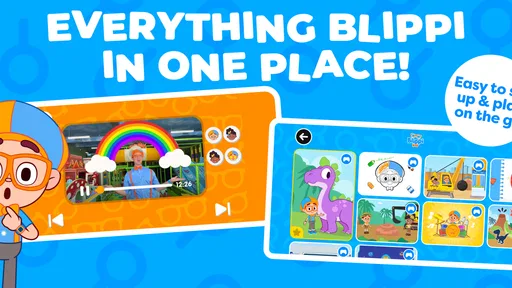
One of the standout features is the video library. It includes a collection of Blippi’s episodes, neatly categorized for easy navigation. It’s like having a Blippi marathon in your pocket! The videos are educational, entertaining, and perfect for those moments when you need a little quiet time.
Easy Navigation for Little Fingers
Navigation is super straightforward in Blippi's Curiosity Club. The interface is designed with small children in mind, so there are big, colorful buttons and simple menus. Even those who are just getting the hang of touchscreen devices will find it easy to move around the app.
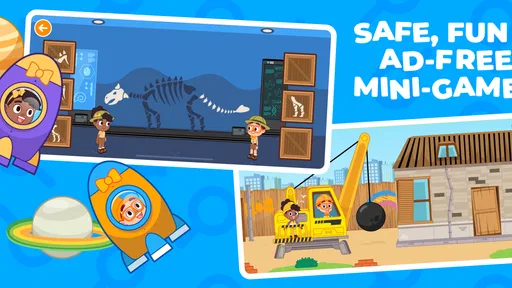
One thing I noticed and appreciated was the lack of intrusive ads. It’s a breath of fresh air when you’re not bombarded with pop-ups every few seconds. This means the kids can focus on learning and having fun without distractions.
Parental Controls and Safety
As a parent, safety is always a top concern, right? The developers have included robust parental controls, allowing you to manage screen time and monitor what your kids are accessing. Plus, the app is COPPA compliant, which means it adheres to child privacy laws. So, you can let your kids explore the app with peace of mind.
Why Kids (and Parents) Love It
The charm of Blippi lies in his ability to make learning ridiculously fun. This app captures that essence perfectly. Kids love the bright colors, silly animations, and the chance to learn alongside a character they adore. Parents appreciate that their kids are not only entertained but also learning valuable skills and information.
"It’s like having a fun, educational playdate at your fingertips," one parent shared.
And honestly, that sums it up pretty well.
Final Thoughts
In conclusion, Blippi's Curiosity Club is a fantastic app for young children. It strikes a perfect balance between education and entertainment, making it a great choice for any parent looking to add a little more learning into their child’s screen time. If you’ve got a little Blippi fan at home, this app is definitely worth checking out.
So, what are you waiting for? Head over to your app store and download Blippi's Curiosity Club today. I promise, it’s going to be a hit with the kiddos!
Compatibility, pace, and reliability
The game’s current version is 1.1.0, and it requires iOS 11 or later. That minimum is useful to check before downloading, especially if the child uses an older hand-me-down device. A compatible operating system does not by itself guarantee that every device will feel equally responsive, so I’d try it on the actual tablet or phone the child will use rather than assuming performance from a newer family device will carry over.
I wouldn’t choose it expecting demanding, high-end gameplay. Its child-focused format and simple touch navigation suggest an experience meant to be approachable, not a test of a device’s graphics or processing power. Still, real-world speed can depend on the device and its condition. If menus feel sluggish, close other apps and relaunch the game before deciding it is a poor fit. For a young child, even a brief pause can interrupt the flow, so a quick adult check before a planned quiet-time session is worthwhile.
For reliability, I’d treat the first use as a small trial rather than planning an important stretch of uninterrupted entertainment around it. Open the app while you are available, see whether the child can reach an activity comfortably, and make sure the device behaves as expected. If something stops responding, an adult can try closing and reopening the app; I would avoid promising a particular recovery method or assuming progress is saved in a specific way. That cautious approach is more useful than discovering a snag when you are already out the door.
Who will get the most from it
With an average rating of 4.2 from around 555 ratings and more than 100K installs, the game has attracted a substantial audience, though those figures cannot tell me whether it will suit an individual child. I’d put it on the shortlist for a preschool-age Blippi fan who enjoys guided activities and responds well to bright, character-led play. It is less compelling for a child who dislikes the character, wants a highly open-ended game, or becomes frustrated when a screen asks them to follow prompts.
Moonbug Entertainment Limited’s app is also a less natural choice if your main goal is a completely screen-free learning activity, or if you need a tool designed around a particular school skill or learning plan. A physical puzzle, shared story, or real-world sorting game can give a child more movement and tactile exploration. The value here is convenience and a familiar digital setting; the trade-off is that the device still mediates the activity, and a caregiver may need to guide the session.
A practical way to decide
For a first try, I’d download it in advance, look around with the child, and agree on a simple limit before handing over the device. Ask them which part they want to explore, then watch whether they can make choices without getting stuck. That gives you a better sense of fit than judging by a character they already enjoy. If the game leads to questions or pretend play after the screen goes away, that is a good sign it is serving as a prompt rather than merely filling time.
The release date is November 24, 2025, and the Everyone age classification is a helpful baseline, not a substitute for family judgement. Ratings, familiarity, and a child-friendly interface can all make a first impression, but the right decision depends on your child’s temperament, your device, and how you manage purchases and stopping points. I’d give it a try for a short, supervised session if the child is already curious about Blippi; if you want quieter pacing or broader creative freedom, I’d choose another activity.
Verdict
Strengths of Blippi's Curiosity Club
- Engaging educational content for kids.
- Interactive design keeps children entertained.
- Regular content updates expand learning.
- Safe, ad-free environment for kids.
- Supports offline play for convenience.
Limitations of Blippi's Curiosity Club
- Limited content variety for older kids.
- Subscription required for full access.
- Initial setup can be slightly confusing.
- Lacks parental control features.
- Some interactive features are repetitive.
Other Releases by Moonbug Entertainment Limited
View All
CoComelon: Learn ABCs and 123s
Educational4.1
Similar Picks in This Category
View All
Little Panda Policeman
BabyBus4.0

Monster Trucks Game for Kids 2
Raz Games4.1

Little Panda's Chinese Recipes
BabyBus4.4

Little Panda's Restaurant
BabyBus4.4

Little Panda's Ice Cream Games
BabyBus4.3

Baby Panda Care
BabyBus3.8
Frequently Asked Questions
What is Blippi's Curiosity Club?
Blippi's Curiosity Club is an educational app designed for young children, offering interactive learning experiences through videos, games, and activities. It's based on the popular character Blippi, known for making learning fun and engaging through exploration and discovery. The app aims to stimulate curiosity and foster a love for learning.
Is Blippi's Curiosity Club safe for children?
Yes, Blippi's Curiosity Club is designed with child safety in mind. It features a secure environment with no ads or external links, ensuring that children can explore and learn without exposure to inappropriate content. Parental controls are also available to monitor and manage the child's activities within the app.
What age group is Blippi's Curiosity Club suitable for?
Blippi's Curiosity Club is ideal for children aged 2 to 6 years. The content is tailored to meet the developmental needs of this age group, featuring simple navigation, age-appropriate videos, and activities designed to enhance cognitive, motor, and social skills through fun and engaging interactions.
Is there a subscription fee for Blippi's Curiosity Club?
Yes, Blippi's Curiosity Club operates on a subscription model. While the app may offer a free trial period, continued access to its full range of content and features requires a monthly or yearly subscription. This fee supports regular updates and the development of new educational content.
Can Blippi's Curiosity Club be used offline?
Blippi's Curiosity Club offers offline access for certain features. Users can download videos and activities to their devices, allowing children to enjoy the content without an internet connection. This is particularly useful for travel or areas with limited connectivity.
Play our best games!


